 BubbleMarkets
Asian Stock Market Visualizer: How to Scan Regional Equities in 2026
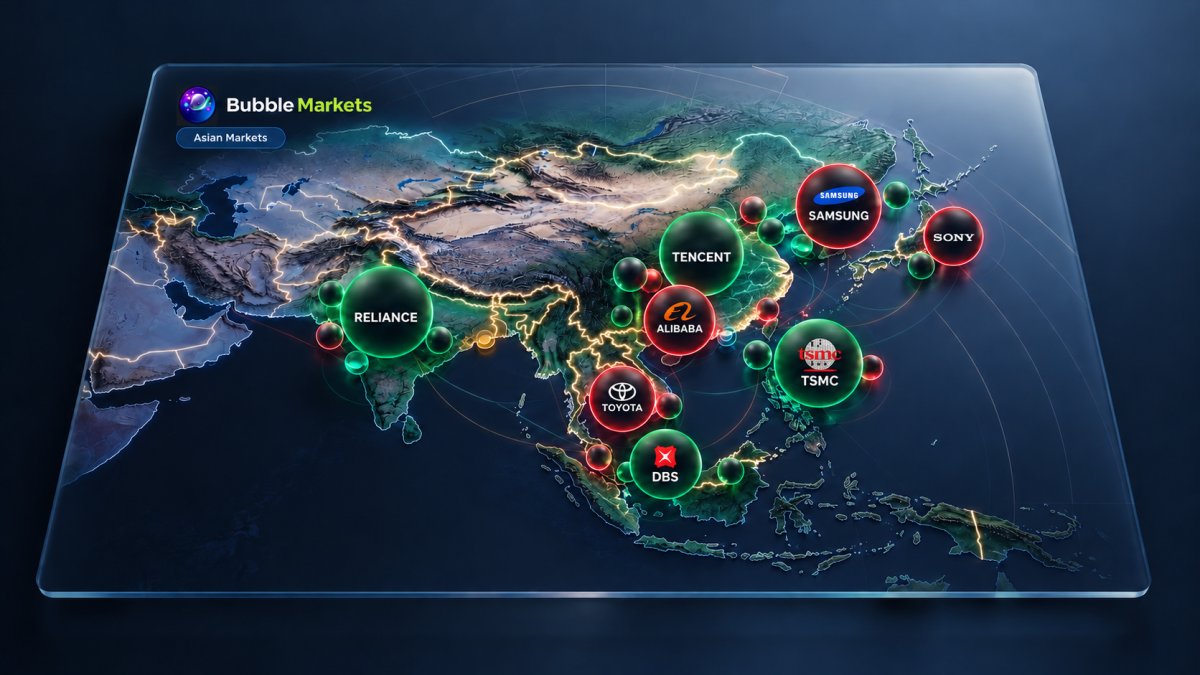
What if the clearest regional scan isn’t a list of top movers, but a map showing where market movement is concentrated? Asian equities span multiple exchanges, benchmarks, currencies, and trading sessions, so a ticker list can hide useful patterns. An asian stock market visualizer brings securities into a shared view, but bubbles need context: their size and color reflect selected data, not a stock’s importance or future direction by default.
This article explains what a regional stock bubble map displays and how to interpret its visual signals without treating them as a market verdict. You’ll learn a repeatable process for scanning Asian equities, spotting patterns worth investigating, and following up with charts, news, and other research. We’ll also cover why the legend, selected metrics, and data timing matter when comparing markets. BubbleMarkets’ Asian stock bubble map offers a visual starting point: use it to find questions to research, not to make decisions on appearance alone.
Key Takeaways
- Learn how bubble size, color, and grouping organize regional equities, and why the map’s labels and settings matter.
- Use an asian stock market visualizer to scan regional patterns, then distinguish benchmark movement from individual stock performance.
- Compare like with like by matching the exchange, instrument type, benchmark, and performance period.
- Follow a repeatable workflow: set the market and metric, scan broad patterns, then investigate notable groups and securities.
- Use BubbleMarkets’ free live visualizers for an initial scan, or explore subscription tiers for advanced visualization and screening functionality.
What Is an Asian Stock Market Visualizer, and What Can It Show?
An asian stock market visualizer is an interface for scanning regional equities through visual cues rather than a ticker list alone. In a bubble map, each bubble can represent a security or group, with size, color, and position tied to data fields selected in the interface. This makes clusters and outliers easier to spot, helping you decide what to examine more closely.
A stock visualizer helps users discover patterns in market data; it is not a standalone basis for investment decisions. A price chart usually follows one instrument over time, while a bubble map places multiple securities in a shared view. A screener filters securities by chosen criteria; a visualizer emphasizes their relative arrangement. Neither is a brokerage or a source of personalized investment recommendations.
Which Asian markets and benchmarks might appear?
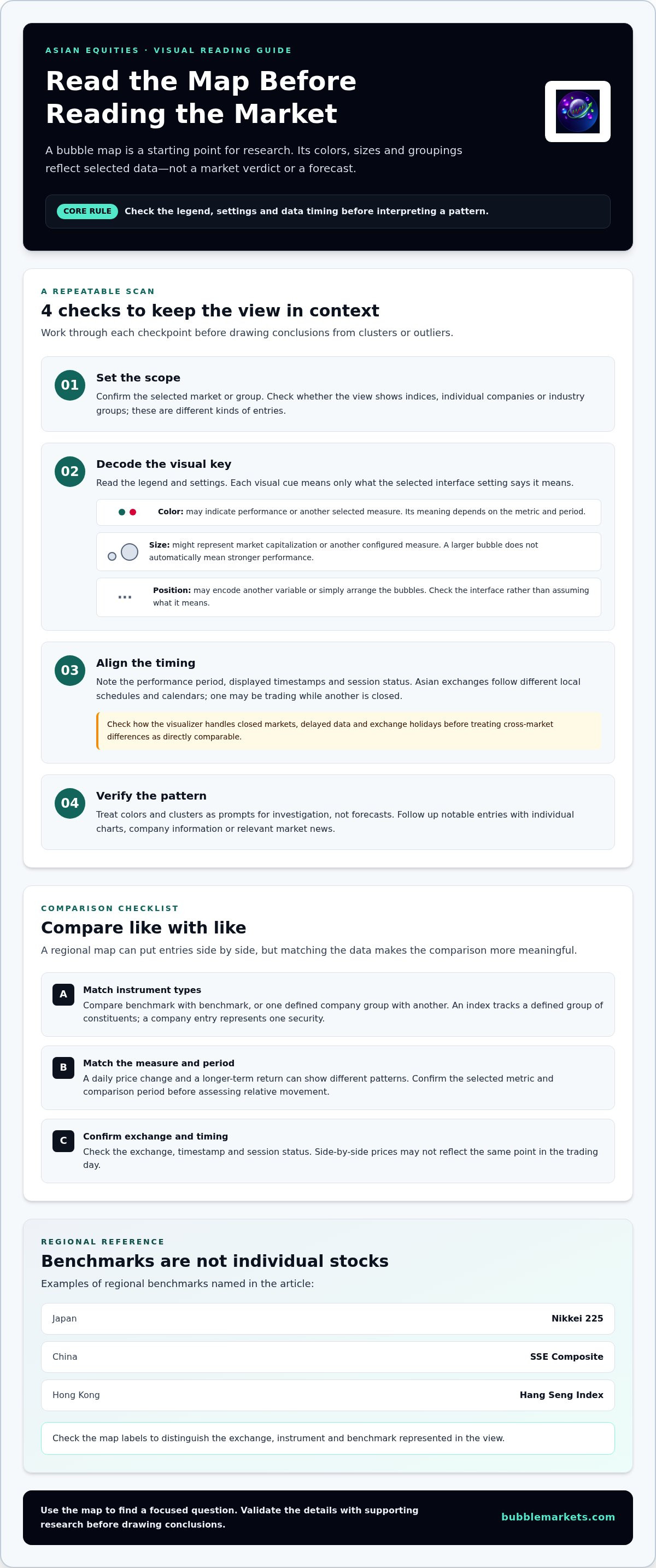
A regional scan may include benchmarks such as Japan’s Nikkei 225, China’s SSE Composite, or Hong Kong’s Hang Seng Index, alongside individual listed companies. These are different data types: an index tracks a defined group of constituents, while a company entry represents one security. For geographic context, see this list of major stock exchanges in Asia. Check the map’s labels to distinguish the exchange, instrument, and benchmark represented in the view.
What do bubble size, color, and position represent?
Start with the legend and settings. Color may indicate performance, but its meaning depends on the selected metric and period: a daily move and a longer-term return can tell different stories. Bubble size might represent market capitalization or another displayed measure. Position may encode an additional variable or simply arrange the bubbles. Interpret each element according to the interface, not appearance alone.
These visual signals describe selected data fields. A larger bubble doesn’t automatically mean a company matters more for every market question, and a favorable color doesn’t predict what happens next. Confirm the metric, period, and data timestamp before comparing securities, especially across markets with different trading sessions. Then use the map to form a focused question and follow up with a chart, company information, or relevant market news.
How to Read an Asian Stock Bubble Map Without Losing Context
Before interpreting a pattern, check the map’s labels and controls. Confirm which market or group of securities is selected, what metric is displayed, and which comparison period is active. A map showing daily price changes can look very different from one showing a longer return period. Check the timestamp too, so you know when the displayed data was last updated.
The metric and time frame determine what a bubble map’s visual pattern can tell you. Treat colors and clusters as prompts for investigation, not forecasts. If several companies appear to move together, use the map to identify the group, then examine relevant charts, company information, or news for context.
How do you interpret bubble size and color?
Read the legend before comparing bubbles. Color may indicate a price change or another selected measure; size may represent market capitalization or a different configured metric. A larger bubble does not automatically mean stronger performance. Check the period too: a security’s short-term movement may differ from its longer-term pattern, changing its relative color or size on the map.
Why do time zones and trading sessions matter?
Asian exchanges operate on different local schedules and calendars. One market may be trading while another is closed, so prices shown side by side may not reflect the same point in the trading day. Check each displayed timestamp and session status. Understand how the visualizer handles closed markets, delayed data, and exchange holidays before treating cross-market differences as directly comparable.
Use this quick sequence to keep the scan grounded:
- Set the scope: confirm the selected market and whether the map shows indices, companies, or industry groups.
- Check the measures: read the legend for the color, size, and any position variables.
- Align the timing: note the performance period, timestamps, and whether relevant exchanges are open.
- Verify the pattern: compare notable entries with individual charts and other research before drawing conclusions.
This approach helps distinguish a broad index move from a company-specific change or a concentrated group pattern. If a cluster looks unusual, ask what the selected metric captures and whether the securities are being compared over equivalent periods. The Asian stock bubble map provides a visual starting point for that review. Use it to find areas to investigate, then validate the details with supporting research.
How to Compare Asian Equities, Exchanges, and Benchmarks in One View
A regional map can place markets side by side, but a fair comparison starts with matching the data. Compare benchmark with benchmark, or one defined company group with another. Mixing an index with individual stocks can make bubble sizes, colors, and performance appear comparable even though they represent different types of instruments.
Use this checklist before interpreting a view. The benchmarks below are examples, not a guarantee that each appears in every visualizer. Confirm the selected exchange, instruments, metric, and period in the interface.
| Exchange example | Benchmark example | Instrument type | Comparison period |
|---|---|---|---|
| Tokyo Stock Exchange | Nikkei 225 | Index benchmark | Match the period across all benchmarks |
| Shanghai Stock Exchange | SSE Composite | Index benchmark | Use the same start and end points |
| Hong Kong Stock Exchange | Hang Seng Index | Index benchmark | Check the selected return interval |
| National Stock Exchange of India | NIFTY 50 | Index benchmark | Align the interval with the other markets |
How do Japanese, Chinese, Hong Kong, and Indian market views differ?
These exchange and benchmark pairs provide reference points across Japan, mainland China, Hong Kong, and India. An index reflects its own defined constituents and weighting method, so it isn’t a complete proxy for every company or industry listed on that exchange. For company-level comparisons, select comparable groups and confirm that the view represents the relevant instruments before drawing conclusions.
Three factors can change what a cross-market comparison appears to show:
- Currency: Local-currency performance may differ from returns converted to a shared currency.
- Trading session: Exchanges may be open at different times, so displayed prices can reflect different points in the day.
- Market composition: Each benchmark represents a particular set of securities, not the entire national market.
For broader regional context, use the world indices bubble map guide alongside an asian stock market visualizer. The same comparison discipline applies: align instrument type, period, and data timing before interpreting relative performance.
When should you compare an index with individual stocks?
Use an index to frame broad benchmark movement, then inspect company bubbles to see whether that pattern is shared across constituents or concentrated in a few names. An index gain does not mean every constituent rose. For a parallel regional example, see the European stock bubble map.
A Practical Workflow for Scanning Asian Stocks With a Visualizer
A repeatable scan keeps the map useful without turning a visual pattern into a conclusion. Before opening an asian stock market visualizer, decide what you want to compare, such as market groups, benchmark movement, or unusual company-level changes. Then move from the broad regional view to targeted research.
What should you check before starting a regional scan?
Confirm the selected market universe, available securities, displayed metric, and performance window. Check data timestamps and whether the exchanges you’re comparing are open. Set a clear research question first: are you looking for differences between industry groups, or individual stocks that diverge from their benchmark?
- Set the scope. Choose the region and market group, then confirm whether the view contains indices, individual companies, or another instrument type.
- Choose the metric and period. Read the legend and set a comparison window suited to your question. Keep the same measure and period when comparing entries.
- Check timing and context. Note the displayed timestamps and exchange session status. Identify an appropriate benchmark to distinguish a broad market move from a company-specific one.
- Scan the overall pattern. Look for clusters, broad positive or negative movement, and groups that appear to diverge. Treat these as observations to investigate, not conclusions.
- Inspect notable entries. Narrow the scan to a group or security that stands out, then review its price history and relevant market or sector context.
How do you investigate a pattern after spotting it?
Open the underlying security or benchmark view and examine its chart over a matching period. Compare the apparent move with relevant company or market news, then see whether similar securities in the sector show a related pattern. Check that timestamps align before comparing entries across exchanges.
A large or unusually colored bubble is a research prompt, not a buy or sell instruction. If screening criteria would help narrow a broad set of securities after the visual scan, the visual stock screener buying guide explains how to compare approaches. To begin a regional scan, explore the Asian stock bubble map and use the displayed settings to guide your follow-up research.
Using BubbleMarkets as an Asian Stock Market Visualizer
BubbleMarkets provides Asian stock bubble maps as a visual starting point for scanning regional equities. The map helps organize market data so you can spot broad patterns and decide which areas warrant closer review. Start by reading the selected market, metric, comparison period, and data timestamp. The securities and visual signals shown depend on the view and settings you select.
BubbleMarkets’ free live market visualizers support an initial overview. Pro, Professional, and Enterprise subscriptions add advanced visualization, extended screening, and customizable heat maps. Subscribers can also use portfolio tracking, real-time price alerts, AI-generated market summaries, and deeper data coverage across global asset classes. The map is a way to inspect market data, not a brokerage service or a source of personalized financial advice. It doesn’t execute trades or tell you what to buy or sell.
How can a regional map fit into a wider research workflow?
Use the map to identify a pattern, then move to a tool or source that can help you examine it. A market screener can narrow a group of securities, while charts help you review price history. Company and sector context can help explain what you see. BubbleMarkets also offers portfolio tracking, price alerts, and AI-generated market summaries as supporting platform features. These tools organize information; they don’t predict outcomes or guarantee results.
A practical sequence is to:
- Scan: Use the regional map to locate clusters, differences, or entries that stand out.
- Narrow: Apply screening tools to focus on a relevant group of securities.
- Research: Review charts and relevant market or company context before forming your own view.
- Monitor: Use tracking or alerts to follow information you’ve chosen to watch.
When should you use a regional visualizer?
A regional map is useful when you need a quick visual overview of a broad set of Asian equities. It can help organize the scan before you focus on individual companies or benchmarks. For company-specific history, fundamentals, or the reasons behind a price move, use charts and other research sources that provide that detail.
Every map reflects its selected securities, metrics, and time period. It may simplify a complex region, and apparent patterns need context. Confirm the displayed data and continue your own research rather than treating a bubble’s size or color as a conclusion.
Start a regional scan with BubbleMarkets’ market visualizers, then use the map as one part of your research process.
Make Your Next Regional Scan More Structured
An asian stock market visualizer can turn a broad set of regional equities into a clearer starting point for research. Read the legend and settings first, then compare equivalent benchmarks or company groups over the same period. Bubble size and color describe selected data, not market importance or future direction.
Use the map to spot patterns, then check timestamps, session status, charts, and relevant market context before interpreting an outlier. BubbleMarkets offers Asian, Japanese, and Indian stock bubble maps, with free live visualizers for an initial market scan. Its role is to display market data, not provide brokerage services or personalized investment advice.
Build your regional scan one step at a time. Explore BubbleMarkets’ market visualizers and use a visual overview to guide your next research question.
Frequently Asked Questions
What is an Asian stock market visualizer?
An Asian stock market visualizer is an interface for scanning regional equities through visual elements such as bubbles, colors, and groupings. Each element represents selected market data, which may show performance, market capitalization, or another configured measure. It helps users spot patterns across securities, then investigate notable entries with charts and other research. It is a discovery tool, not a standalone basis for choosing investments.
How do you read an Asian stock bubble map?
Start by checking the selected market, labels, legend, metric, performance period, and data timestamp. These settings explain what each bubble’s size and color represent. Then scan for broad patterns, such as a group moving differently from its benchmark, before examining individual securities. Don’t assume that a larger bubble means stronger performance or that a positive color forecasts future movement. Verify observations with charts and relevant market context.
Which Asian stock markets can a visualizer show?
Coverage depends on the visualizer and its selected dataset. Asian market views may use benchmarks such as Japan’s Nikkei 225, China’s SSE Composite, Hong Kong’s Hang Seng Index, or India’s NIFTY 50, as well as individual listed companies. An index and a company are different instrument types, so use the map’s labels to identify what appears in the view rather than assuming every exchange, benchmark, or security is included.
Can I compare Asian stocks from different exchanges on one map?
Yes, when the visualizer includes the securities or benchmarks you want to compare. Keep the instrument types, metric, and performance period consistent. Also consider currency and timestamps: exchanges may operate on different schedules, so displayed prices might reflect different points in the trading day. A shared map can help surface differences, but use aligned data and additional research before treating those differences as meaningful.
Why can Asian stock market data look different across visualizers?
Visualizers can differ in the securities they include, the data fields they display, and how they configure bubble size, color, and performance periods. Data timestamps, refresh timing, currency conversion, and exchange session status can also affect what appears. Before comparing two maps, check their legends, selected markets, time windows, and timestamps. A difference in presentation doesn’t necessarily mean the underlying market data conflicts.
Is an Asian stock market visualizer enough to choose stocks?
No. A visualizer helps organize market data and identify securities or groups for further research, but it doesn’t provide complete company-specific, historical, or fundamental context. Use charts, company information, relevant news, and other research to examine an apparent pattern. BubbleMarkets is a data visualization platform, not a broker or financial adviser, and its visual signals aren’t personalized investment recommendations or instructions to buy or sell.
When are Asian stock markets open?
There isn’t one shared opening time for Asian stock markets. Each exchange follows its own local trading schedule and holiday calendar, and some markets may have separate trading sessions. Check the specific exchange’s schedule and note its local time zone when comparing markets. In a visualizer, review timestamps and session status too, since one market may be trading while another is closed or observing a holiday.
Frequently asked questions
Which Asian markets and benchmarks might appear?
A regional scan may include benchmarks such as Japan’s Nikkei 225, China’s SSE Composite, or Hong Kong’s Hang Seng Index, alongside individual listed companies. These are different data types: an index tracks a defined group of constituents, while a company entry represents one security. For geographic context, see this list of major stock exchanges in Asia. Check the map’s labels to distinguish the exchange, instrument, and benchmark represented in the view.
What do bubble size, color, and position represent?
Start with the legend and settings. Color may indicate performance, but its meaning depends on the selected metric and period: a daily move and a longer-term return can tell different stories. Bubble size might represent market capitalization or another displayed measure. Position may encode an additional variable or simply arrange the bubbles. Interpret each element according to the interface, not appearance alone. These visual signals describe selected data fields. A larger bubble doesn’t automatically mean a company matters more for every market question, and a favorable color doesn’t predict what happens next. Confirm the metric, period, and data timestamp before comparing securities, especially across markets with different trading sessions. Then use the map to form a focused question and follow up with a chart, company information, or relevant market news. Before interpreting a pattern, check the map’s labels and controls. Confirm which market or group of securities is selected, what metric is displayed, and which comparison period is active. A map showing daily price changes can look very different from one showing a longer return period. Check the timestamp too, so you know when the displayed data was last updated. The metric and time frame determine what a bubble map’s visual pattern can tell you. Treat colors and clusters as prompts for investigation, not forecasts. If several companies appear to move together, use the map to identify the group, then examine relevant charts, company information, or news for context.
How do you interpret bubble size and color?
Read the legend before comparing bubbles. Color may indicate a price change or another selected measure; size may represent market capitalization or a different configured metric. A larger bubble does not automatically mean stronger performance. Check the period too: a security’s short-term movement may differ from its longer-term pattern, changing its relative color or size on the map.
Why do time zones and trading sessions matter?
Asian exchanges operate on different local schedules and calendars. One market may be trading while another is closed, so prices shown side by side may not reflect the same point in the trading day. Check each displayed timestamp and session status. Understand how the visualizer handles closed markets, delayed data, and exchange holidays before treating cross-market differences as directly comparable. Use this quick sequence to keep the scan grounded: This approach helps distinguish a broad index move from a company-specific change or a concentrated group pattern. If a cluster looks unusual, ask what the selected metric captures and whether the securities are being compared over equivalent periods. The Asian stock bubble map provides a visual starting point for that review. Use it to find areas to investigate, then validate the details with supporting research. A regional map can place markets side by side, but a fair comparison starts with matching the data. Compare benchmark with benchmark, or one defined company group with another. Mixing an index with individual stocks can make bubble sizes, colors, and performance appear comparable even though they represent different types of instruments. Use this checklist before interpreting a view. The benchmarks below are examples, not a guarantee that each appears in every visualizer. Confirm the selected exchange, instruments, metric, and period in the interface.
How do Japanese, Chinese, Hong Kong, and Indian market views differ?
These exchange and benchmark pairs provide reference points across Japan, mainland China, Hong Kong, and India. An index reflects its own defined constituents and weighting method, so it isn’t a complete proxy for every company or industry listed on that exchange. For company-level comparisons, select comparable groups and confirm that the view represents the relevant instruments before drawing conclusions. Three factors can change what a cross-market comparison appears to show: For broader regional context, use the world indices bubble map guide alongside an asian stock market visualizer. The same comparison discipline applies: align instrument type, period, and data timing before interpreting relative performance.
When should you compare an index with individual stocks?
Use an index to frame broad benchmark movement, then inspect company bubbles to see whether that pattern is shared across constituents or concentrated in a few names. An index gain does not mean every constituent rose. For a parallel regional example, see the European stock bubble map. A repeatable scan keeps the map useful without turning a visual pattern into a conclusion. Before opening an asian stock market visualizer, decide what you want to compare, such as market groups, benchmark movement, or unusual company-level changes. Then move from the broad regional view to targeted research.
What should you check before starting a regional scan?
Confirm the selected market universe, available securities, displayed metric, and performance window. Check data timestamps and whether the exchanges you’re comparing are open. Set a clear research question first: are you looking for differences between industry groups, or individual stocks that diverge from their benchmark?
How do you investigate a pattern after spotting it?
Open the underlying security or benchmark view and examine its chart over a matching period. Compare the apparent move with relevant company or market news, then see whether similar securities in the sector show a related pattern. Check that timestamps align before comparing entries across exchanges. A large or unusually colored bubble is a research prompt, not a buy or sell instruction. If screening criteria would help narrow a broad set of securities after the visual scan, the visual stock screener buying guide explains how to compare approaches. To begin a regional scan, explore the Asian stock bubble map and use the displayed settings to guide your follow-up research. BubbleMarkets provides Asian stock bubble maps as a visual starting point for scanning regional equities. The map helps organize market data so you can spot broad patterns and decide which areas warrant closer review. Start by reading the selected market, metric, comparison period, and data timestamp. The securities and visual signals shown depend on the view and settings you select. BubbleMarkets’ free live market visualizers support an initial overview. Pro, Professional, and Enterprise subscriptions add advanced visualization, extended screening, and customizable heat maps. Subscribers can also use portfolio tracking, real-time price alerts, AI-generated market summaries, and deeper data coverage across global asset classes. The map is a way to inspect market data, not a brokerage service or a source of personalized financial advice. It doesn’t execute trades or tell you what to buy or sell.
How can a regional map fit into a wider research workflow?
Use the map to identify a pattern, then move to a tool or source that can help you examine it. A market screener can narrow a group of securities, while charts help you review price history. Company and sector context can help explain what you see. BubbleMarkets also offers portfolio tracking, price alerts, and AI-generated market summaries as supporting platform features. These tools organize information; they don’t predict outcomes or guarantee results. A practical sequence is to:
When should you use a regional visualizer?
A regional map is useful when you need a quick visual overview of a broad set of Asian equities. It can help organize the scan before you focus on individual companies or benchmarks. For company-specific history, fundamentals, or the reasons behind a price move, use charts and other research sources that provide that detail. Every map reflects its selected securities, metrics, and time period. It may simplify a complex region, and apparent patterns need context. Confirm the displayed data and continue your own research rather than treating a bubble’s size or color as a conclusion. Start a regional scan with BubbleMarkets’ market visualizers, then use the map as one part of your research process. An asian stock market visualizer can turn a broad set of regional equities into a clearer starting point for research. Read the legend and settings first, then compare equivalent benchmarks or company groups over the same period. Bubble size and color describe selected data, not market importance or future direction. Use the map to spot patterns, then check timestamps, session status, charts, and relevant market context before interpreting an outlier. BubbleMarkets offers Asian, Japanese, and Indian stock bubble maps, with free live visualizers for an initial market scan. Its role is to display market data, not provide brokerage services or personalized investment advice. Build your regional scan one step at a time. Explore BubbleMarkets’ market visualizers and use a visual overview to guide your next research question.
What is an Asian stock market visualizer?
An Asian stock market visualizer is an interface for scanning regional equities through visual elements such as bubbles, colors, and groupings. Each element represents selected market data, which may show performance, market capitalization, or another configured measure. It helps users spot patterns across securities, then investigate notable entries with charts and other research. It is a discovery tool, not a standalone basis for choosing investments.
How do you read an Asian stock bubble map?
Start by checking the selected market, labels, legend, metric, performance period, and data timestamp. These settings explain what each bubble’s size and color represent. Then scan for broad patterns, such as a group moving differently from its benchmark, before examining individual securities. Don’t assume that a larger bubble means stronger performance or that a positive color forecasts future movement. Verify observations with charts and relevant market context.
Which Asian stock markets can a visualizer show?
Coverage depends on the visualizer and its selected dataset. Asian market views may use benchmarks such as Japan’s Nikkei 225, China’s SSE Composite, Hong Kong’s Hang Seng Index, or India’s NIFTY 50, as well as individual listed companies. An index and a company are different instrument types, so use the map’s labels to identify what appears in the view rather than assuming every exchange, benchmark, or security is included.
Can I compare Asian stocks from different exchanges on one map?
Yes, when the visualizer includes the securities or benchmarks you want to compare. Keep the instrument types, metric, and performance period consistent. Also consider currency and timestamps: exchanges may operate on different schedules, so displayed prices might reflect different points in the trading day. A shared map can help surface differences, but use aligned data and additional research before treating those differences as meaningful.
Why can Asian stock market data look different across visualizers?
Visualizers can differ in the securities they include, the data fields they display, and how they configure bubble size, color, and performance periods. Data timestamps, refresh timing, currency conversion, and exchange session status can also affect what appears. Before comparing two maps, check their legends, selected markets, time windows, and timestamps. A difference in presentation doesn’t necessarily mean the underlying market data conflicts.
Is an Asian stock market visualizer enough to choose stocks?
No. A visualizer helps organize market data and identify securities or groups for further research, but it doesn’t provide complete company-specific, historical, or fundamental context. Use charts, company information, relevant news, and other research to examine an apparent pattern. BubbleMarkets is a data visualization platform, not a broker or financial adviser, and its visual signals aren’t personalized investment recommendations or instructions to buy or sell.
When are Asian stock markets open?
There isn’t one shared opening time for Asian stock markets. Each exchange follows its own local trading schedule and holiday calendar, and some markets may have separate trading sessions. Check the specific exchange’s schedule and note its local time zone when comparing markets. In a visualizer, review timestamps and session status too, since one market may be trading while another is closed or observing a holiday.
Market information on this page is for education and general information only. It is not investment advice or a recommendation to buy or sell any asset.