 BubbleMarkets
Visual Stock Tracking Platform: A 2026 Buying Guide

The platform with the most charts may not be the one that makes a market easier to scan. A visual stock tracking platform should bring the views you use together, but tools differ in market coverage, portfolio features, alerts, and how quickly you can compare stocks.
If you’re switching between charts, watchlists, and portfolio records to understand what’s moving, the right tool can reduce that friction. The best fit depends on how you monitor markets: scanning broad movement, following selected holdings, screening stocks, or reviewing individual charts.
This guide compares platforms by those practical differences, so you can choose a tool that fits your workflow without treating its displays as trade recommendations. We’ll look at market maps and heat maps, portfolio tracking, screening, alerts, and the difference between visual market scanners and charting platforms. You’ll also see where BubbleMarkets’ stock and other market maps can fit alongside portfolio tools and alerts.
Key Takeaways
- Choose a visual stock tracking platform by matching its market coverage and tools to the way you monitor stocks.
- Check the metric, time window, and update cadence behind each map or heat map before interpreting visual patterns.
- Separate market scanning from holdings-level tracking to decide whether you need a scanner, a portfolio tracker, or both.
- Test platforms with the same market question and compare how easily you can inspect coverage, filters, and context.
- Use visual maps to scan market movement, with portfolio tracking, alerts, and summaries supporting ongoing monitoring.
What a visual stock tracking platform does and what it does not
A visual stock tracking platform organizes market data into spatial displays, so you can scan relationships and movement across stocks instead of inspecting each symbol separately. These displays can help you spot patterns and decide what to examine next. They summarize selected data, but they don’t explain every cause behind a price change or provide personalized investment advice.
Three related workflows answer different questions. Market-wide scanning shows what is happening across a defined group of stocks. Watchlist monitoring follows selected symbols. Portfolio tracking focuses on assets you own and their recorded performance. Some platforms combine these functions, but the tools and depth vary.
Bubble map: Places assets in circles; size and color represent selected metrics.
Heat map: Uses colored blocks to compare values or changes across a group of assets.
Screener: Filters stocks by chosen criteria and returns a matching list.
Portfolio tracker: Organizes holdings and may show their performance over time.
How visual stock tracking differs from portfolio accounting
Market movement views describe a selected universe of stocks. Portfolio records describe an individual investor’s holdings and, depending on the tool, transactions or performance. A map might show relative movement across a sector; a portfolio view might show how that investor’s positions have changed.
These views complement each other, but they are not interchangeable records. A visual scan helps you inspect market context, while portfolio tracking helps you review your holdings. A map alone does not record positions or transactions.
What bubble maps and heat maps show
Visual encodings need a legend. A bubble’s size might represent market capitalization or volume, while its color might show price change. A heat map can use color to represent a selected value or movement as well. The meaning depends on the view and its settings, so check the metric, time period, labels, and data timing before comparing assets.
For example, a stock colored to indicate a gain over one session may look different over a longer period. A large bubble may reflect a company’s size, not stronger performance. Read the display as a summary of selected data, then inspect the relevant context. A visual pattern describes what the data shows under those settings; it does not predict a future price move.
Which features matter when comparing visual stock tracking platforms?
Start with what you need to monitor, not with the longest feature list. Compare market coverage, visual controls, screening, alerts, and portfolio tools. The key question is whether they work together in a routine you can repeat.
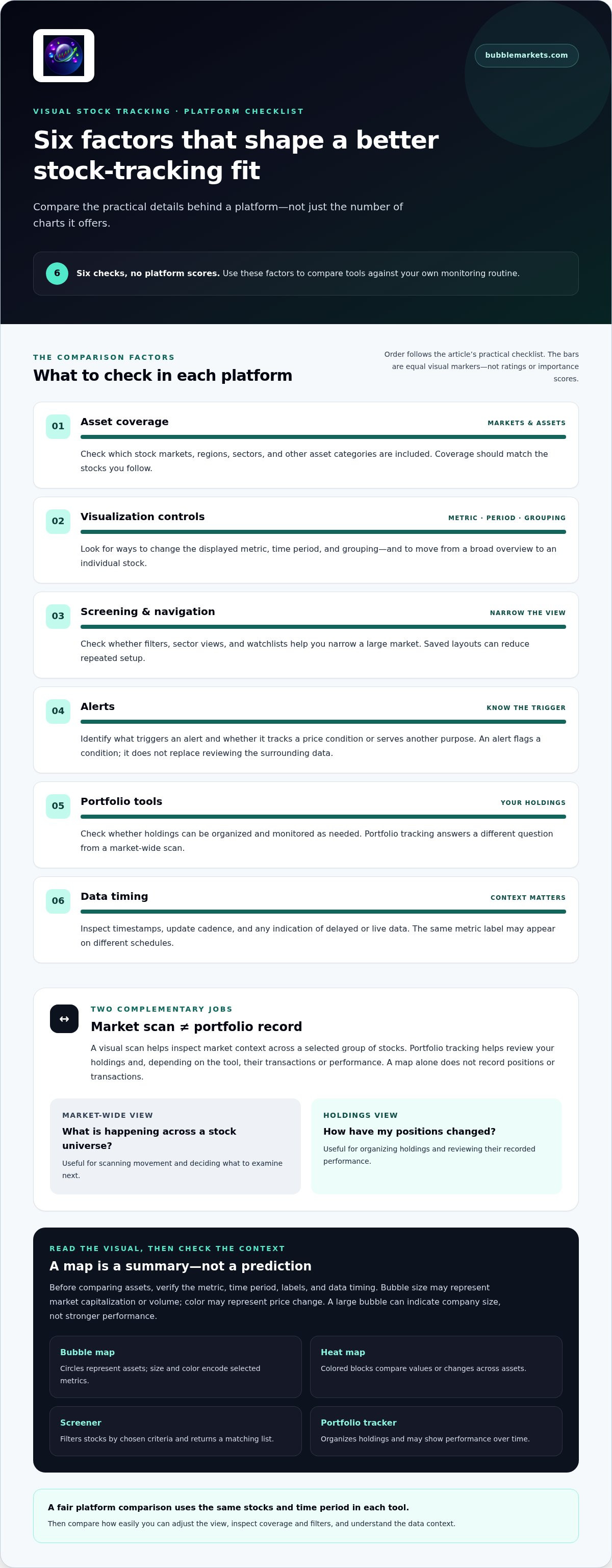
Feature fit depends on your monitoring workflow. Use this checklist to compare the practical details:
- Asset coverage: Check which stock markets, regions, sectors, and other asset categories are included. Make sure the coverage matches the stocks you follow.
- Visualization controls: Look for ways to change the displayed metric, time period, and grouping. Check whether you can move from a broad overview to an individual stock.
- Screening and navigation: See whether filters, sector views, and watchlists help narrow a large market to the stocks you want to inspect. Saved layouts can reduce repeated setup.
- Alerts: Identify what triggers an alert and whether it tracks a price condition or serves another purpose. Alerts notify you about a condition; they don’t replace reviewing the surrounding data.
- Portfolio tools: Check whether holdings can be organized and monitored in the way you need. Confirm that the portfolio view answers a different question from the market-wide scan.
- Data timing: Inspect timestamps, update cadence, and any indication of delayed or live data. Two platforms may use the same metric label while displaying data on different schedules.
Check market coverage and visual controls
Match coverage to your routine. A person tracking regional stocks may need different market views from someone focused on a few sectors. Then test the controls: can you filter the map by a useful category, switch the time window, or group stocks to answer your question? Select a bubble or heat-map block and see whether you can open more detail without losing the broader view.
Assess alerts, portfolios, and data context
These features do different jobs. Screening narrows stocks by criteria; a price alert flags a selected condition; portfolio tracking organizes holdings for performance review. Decide which of these tasks matters to your routine, rather than treating an alert or watchlist as a substitute for portfolio tracking. Before comparing displays, check the metric, selected period, timestamp, and update cadence.
For a practical comparison, use the same stocks and time period in each tool. A visual stock tracking platform should make it easy to adjust the view and inspect its context. Explore stock bubble maps and market heat maps to assess visual scanning controls.
Visual market scanner or portfolio tracker: which workflow fits?
A scanner and a portfolio tracker answer different questions. A visual stock tracking platform is most useful when you need a market-wide view; a portfolio tracker is built around your own holdings and their records. If your routine includes both, combining the workflows connects broader market context with individual oversight.
| Workflow | Primary job | Useful inputs | Typical output | Common limitation |
|---|---|---|---|---|
| Market scanner | Compare movement across a group of stocks | Market, sector, time period, and screening filters | A visual map, heat map, or filtered list | Doesn’t necessarily track your holdings or transactions |
| Portfolio tracker | Review personal holdings and performance | Positions and, depending on the tool, transactions or dividends | Holdings views and performance records | May offer limited market-wide visual scanning |
| Combined platform | Support market scanning and holdings monitoring | Market filters alongside portfolio information | Market views plus portfolio tools, alerts, or records | Feature depth and workflow integration can vary |
When a visual market scanner is the better fit
Choose a scanner-led workflow if you regularly review broad groups of stocks and want to compare relative movement at a glance. Filters can narrow a market view to a sector or other relevant group. The visual context then helps you see how individual stocks compare with that group. This can make an initial scan more efficient than opening each symbol one by one.
Use the overview to decide what deserves closer inspection, not as a trade instruction. A map shows selected data under selected settings. It doesn’t establish why a stock moved or whether that movement will continue. If you want to complement spatial market maps with automated idea generation, platforms like TickerAI offer stock opportunity discovery to highlight potential candidates for further research.
When portfolio tracking should lead
Lead with portfolio tracking if your main task is understanding your own holdings. You may need to review positions alongside transactions, dividends, or performance records. A market map can show sector movement, but it does not necessarily provide the history, reporting, or broker-connected records required for portfolio accounting.
If both questions matter, combine the workflows: scan the market for context, then use portfolio records to review your holdings. This keeps the visual overview in its proper role, complementing rather than replacing a detailed record. The best fit depends on how often you scan the market and what you need to monitor.
How to evaluate a platform with a practical stock-tracking test
Use one repeatable scan to compare platforms fairly. Keep the market group and observation period consistent, then assess whether each tool helps you answer the same question with clear context and manageable effort.
Run the same scan across candidate platforms
For example, ask: Which S&P 500 constituents had the largest price changes over the same observation period? Use this question on each platform, applying equivalent filters and time settings where possible. Record differences instead of judging a display by color or layout alone.
- 1. Define the question: Choose the market group, comparison metric, and observation period. Keep them consistent across platforms.
- 2. Inspect coverage: Check that the platform includes the stocks you intend to compare. Note any missing symbols or unclear boundaries.
- 3. Test filters: Apply the same sector or other relevant filters. See whether you can narrow the view and return to the broader scan easily.
- 4. Verify context: Check labels, timestamps, metric definitions, and the selected period. Select an individual stock and see whether its details clarify what the overview displays.
- 5. Assess the workflow: Note how many steps it takes to repeat the scan, save a view, or move from market-wide context to a stock-level inspection.
Missing context matters. If a platform shows relative movement but makes the metric or period difficult to identify, record that limitation rather than drawing conclusions from the visual alone. For a closer look at screening features, see this visual stock screener buying guide.
Check how the platform fits a daily routine
After the test scan, consider how the tool fits your regular monitoring. Check whether saved views reduce repeated setup, whether portfolio tools support your holdings-review needs, and whether alerts can track the conditions you want to follow. Separate essential tasks from occasional extras when comparing subscription plans.
A visual stock tracking platform should make routine checks clear and repeatable, not just present a compact display. If bubble maps are new to your workflow, review this market bubble map scanning guide for map-reading fundamentals. Then try the stock market bubble map with the same question and period you used to compare other platforms.
Where BubbleMarkets fits in a visual stock-tracking workflow
BubbleMarkets is built around visual market data. Stock bubble maps, heat maps, and screening let you scan groups of stocks, compare selected data, and narrow a broad view for closer inspection. The platform can serve as a market-scanning layer in a routine that also includes monitoring selected holdings.
Use market maps, screening, and portfolio tools together
A practical workflow can start with a stock map to view a market or group of stocks, then use screening to focus the scan. From there, inspect individual market data for context. Screening and visual patterns help organize what you see; they are not trade instructions or predictions.
Portfolio tracking serves a separate purpose: monitoring your own holdings. Price alerts help you track selected price information, while AI-generated market summaries offer another way to review market context. These tools can support a monitoring routine, but they don’t replace your assessment of the underlying data or provide personalized investment advice.
Heat maps offer another format for visual scanning. Explore this stock market heat map guide to see how that view can fit alongside bubble maps and screening.
Choose an access path that matches the use case
Free live market visualizers provide an entry point for exploring market views and deciding whether the interface fits your scanning habits. BubbleMarkets also offers Pro, Professional, and Enterprise subscriptions with advanced visualization tools, extended market screening, customizable heat maps, portfolio tracking, price alerts, and AI-generated market summaries. Match the plan features to the tasks you need to complete.
For institutional or product integration, developer API access and commercial white-label widgets provide ways to work with market visualizations. These options serve different needs from day-to-day individual scanning, so start by identifying the workflow you want to support.
As a visual stock tracking platform, BubbleMarkets provides market-data visualization and monitoring tools, not brokerage, trade execution, or investment advisory services. Compare a stock map’s overview with the portfolio and alert tools you use in your routine. Explore BubbleMarkets’ visual market tools to see which views support your monitoring workflow.
Choose a platform that fits your monitoring routine
The right visual stock tracking platform should make it easier to scan the markets you follow, inspect useful context, and return to your holdings view when you need it. Compare more than appearance: check market coverage, filters, metrics, time periods, and how smoothly the platform supports your regular workflow.
Market maps and screeners help organize a broad scan; portfolio tracking and alerts support ongoing monitoring. They serve different purposes, so decide whether you need one workflow or both. Visual displays summarize selected data, not future price moves or personalized investment advice.
BubbleMarkets brings stock maps, heat maps, screeners, portfolio tracking, and alerts together, with free live market visualizers to explore. Developer API access and commercial white-label widgets also support integration use cases.
Explore BubbleMarkets’ visual market tools and see how its views fit the way you monitor stocks. Start with the scan that matters most, then build a clear, practical routine around it.
Frequently Asked Questions
What is a visual stock tracking platform?
A visual stock tracking platform displays selected stock-market data in spatial formats such as bubble maps and heat maps. Size, color, or position can help you compare groups of stocks at a glance, while screeners can narrow the view using chosen criteria. Check each display’s labels, metric, and time period to interpret it correctly. A visual overview summarizes data; it doesn’t explain every market change or predict future prices.
How is a visual stock tracker different from a portfolio tracker?
A visual stock tracker is generally designed to scan market data across a group of stocks. A portfolio tracker focuses on your own holdings and may organize information such as positions, transactions, or performance. The tools answer different questions: a market map can show movement across a sector, while a portfolio view helps you review selected holdings. Some platforms combine both workflows, but the depth of each feature varies.
Can a visual stock tracking platform track my portfolio?
Yes, some platforms combine market visualizations with portfolio tracking. BubbleMarkets offers portfolio tracking alongside stock maps, heat maps, screening, and price alerts. These features support both broad market scanning and holdings monitoring, but a market map is not itself a portfolio record. Consider what you need to review, such as positions or performance, and assess whether the portfolio tools support that workflow.
Are stock market bubble maps and heat maps real-time?
Not always. Data timing depends on the platform and the specific view, so don’t assume a bubble map or heat map updates in real time just because it appears live. Check the displayed timestamp, the selected period, and any stated update cadence. These details help you understand what the visualization represents and compare views consistently.
How do I choose a visual stock tracking platform?
Start with the market question you want to answer, then compare platforms using the same stock group and observation period. Check market coverage, filters, displayed metrics, labels, timestamps, and how easily you can inspect an individual stock. Consider whether you also need watchlists, alerts, or portfolio tracking. A visual stock tracking platform should fit your monitoring routine, not just offer an appealing display.
Can visual stock tracking tools tell me which stocks to buy?
No. Visual tracking tools organize and display selected market data; they don’t provide personalized investment recommendations. A map may show price movement or another selected metric, but that pattern alone doesn’t explain why a stock moved or what may happen next. Use visualizations to scan and review information, not as a buy instruction or a substitute for your own research.
Does BubbleMarkets offer a free stock market visualizer?
Yes. BubbleMarkets offers free live market visualizers, including stock bubble maps. You can use a visualizer to explore market data in a spatial format, alongside tools such as heat maps, screeners, portfolio tracking, and price alerts. Pro, Professional, and Enterprise subscriptions are also available, with advanced visualization and monitoring features.
Frequently asked questions
What is a visual stock tracking platform?
A visual stock tracking platform displays selected stock-market data in spatial formats such as bubble maps and heat maps. Size, color, or position can help you compare groups of stocks at a glance, while screeners can narrow the view using chosen criteria. Check each display’s labels, metric, and time period to interpret it correctly. A visual overview summarizes data; it doesn’t explain every market change or predict future prices.
How is a visual stock tracker different from a portfolio tracker?
A visual stock tracker is generally designed to scan market data across a group of stocks. A portfolio tracker focuses on your own holdings and may organize information such as positions, transactions, or performance. The tools answer different questions: a market map can show movement across a sector, while a portfolio view helps you review selected holdings. Some platforms combine both workflows, but the depth of each feature varies.
Can a visual stock tracking platform track my portfolio?
Yes, some platforms combine market visualizations with portfolio tracking. BubbleMarkets offers portfolio tracking alongside stock maps, heat maps, screening, and price alerts. These features support both broad market scanning and holdings monitoring, but a market map is not itself a portfolio record. Consider what you need to review, such as positions or performance, and assess whether the portfolio tools support that workflow.
Are stock market bubble maps and heat maps real-time?
Not always. Data timing depends on the platform and the specific view, so don’t assume a bubble map or heat map updates in real time just because it appears live. Check the displayed timestamp, the selected period, and any stated update cadence. These details help you understand what the visualization represents and compare views consistently.
How do I choose a visual stock tracking platform?
Start with the market question you want to answer, then compare platforms using the same stock group and observation period. Check market coverage, filters, displayed metrics, labels, timestamps, and how easily you can inspect an individual stock. Consider whether you also need watchlists, alerts, or portfolio tracking. A visual stock tracking platform should fit your monitoring routine, not just offer an appealing display.
Can visual stock tracking tools tell me which stocks to buy?
No. Visual tracking tools organize and display selected market data; they don’t provide personalized investment recommendations. A map may show price movement or another selected metric, but that pattern alone doesn’t explain why a stock moved or what may happen next. Use visualizations to scan and review information, not as a buy instruction or a substitute for your own research.
Does BubbleMarkets offer a free stock market visualizer?
Yes. BubbleMarkets offers free live market visualizers, including stock bubble maps. You can use a visualizer to explore market data in a spatial format, alongside tools such as heat maps, screeners, portfolio tracking, and price alerts. Pro, Professional, and Enterprise subscriptions are also available, with advanced visualization and monitoring features.
Market information on this page is for education and general information only. It is not investment advice or a recommendation to buy or sell any asset.